Creative Ways to Use a Game Controller Clipart Set
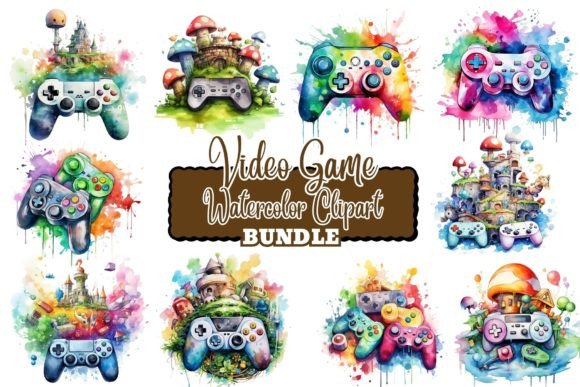
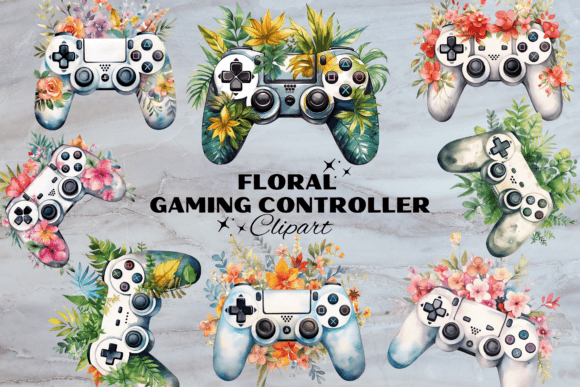
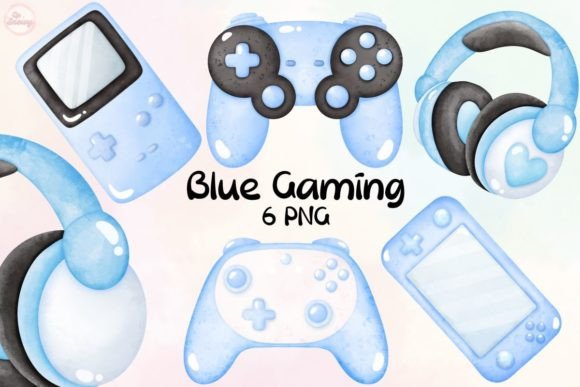
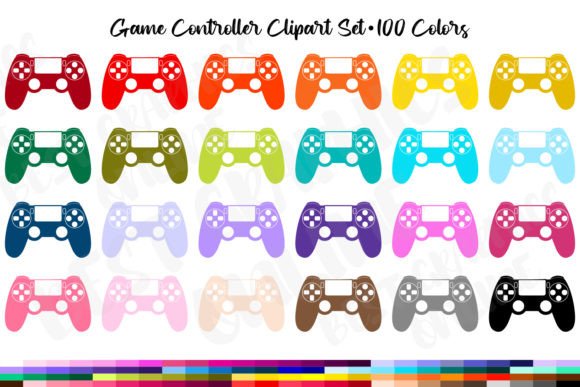
Every designer, crafter, and small business owner knows that the right visual element can instantly define the energy of a project. A game controller clipart set does more than just reference gaming—it brings instant recognition, nostalgia, and a playful edge to whatever you’re making. This particular pack delivers high-resolution PNG files with transparent backgrounds, sized at approximately 6 inches at the widest point and created at 300 DPI. Each color variation comes as a separate image, so you never have to isolate or clean up a flattened graphic. No watermarks appear on your downloads, and the crisp edges hold up beautifully even when scaled for larger prints. But the real value lies in how you translate those digital files into something tangible, customized, and completely your own.
Why Clean, Separate PNGs Change Everything
When you open your download, you don’t get a single crowded sheet. You get individual controller graphics, each one already isolated and ready to drop into your design software. That transparency means you can layer these elements over any background without a white box ruining the layout. The 300 DPI resolution is essential—this isn’t clipart that gets soft or pixelated if you print it at full 6-inch size or scale it down for a tiny planner sticker. Because each color is its own file, you can choose exactly the palette your project needs without cropping or masking. Whether you’re working in Photoshop, Canva, Procreate, or even a word processor, the drag-and-drop simplicity lets you move from idea to printable sheet in minutes.
Party Decor That Starts Conversations
Game-themed birthdays, esports watch parties, or retro arcade nights all benefit from coordinated decor. Use the controller graphics to design your own cupcake toppers. Print them on cardstock, cut them out, and attach them to toothpicks for an instant themed dessert table accent. Favor tags become memorable when you shrink a controller down, add a “Player 2” or thank-you note, and tie them to goodie bags. Create a photo booth backdrop by arranging controllers in a repeating pattern, or design a welcome sign that mixes controllers with bold typography. Since the images come at 300 DPI, enlarging them to fit a poster board won’t introduce fuzziness. If you’re hosting a livestream celebration, the same graphics can be used for overlay alerts or on-screen banners, though you’ll always want to check your platform’s resolution requirements.
Personalized Stationery & Planner Embellishments
Planner enthusiasts and journaling hobbyists often hunt for stickers that reflect their interests. With this set, you can print an entire sheet of controller stickers, sized down to fit any weekly spread or habit tracker. Add a subtle drop shadow in your editing software to give the stickers dimension, or leave them flat for a clean, modern look. For scrapbooking, controllers can punctuate layout pages about gaming weekends, tournament trips, or family game nights. Pro tip: Print on matte sticker paper for a writable surface, or choose glossy vinyl to make the colors pop on a laptop lid or water bottle.
Invitations & Greeting Cards That Feel Collectible
A game controller silhouette on an invitation immediately signals the theme without over-explaining. Whether you’re inviting friends to a casual couch co-op evening or a kid’s level-up birthday bash, the graphic becomes the visual shorthand. Design a simple card by centering a controller on the front with a bold “You’re Invited to Play” beneath it. For inside messages, nest the controller at the top or bottom as a framing element. If you’re crafting thank-you cards, a small controller icon paired with a hand-lettered sentiment feels thoughtful and on-brand. Because you’re working with high-resolution files, you can even use a print-on-demand service to send out professional-looking cards without leaving your desk.
Branding & Marketing for Small Gaming Ventures
Streamers, gaming bloggers, and community managers often need quick graphics that look polished but don’t require hours of illustration. A game controller clipart set like this one can form the backbone of your content calendar. Use it as a logo mark for your Twitch panels, or incorporate it into YouTube thumbnail templates where consistency matters. Email newsletters announcing a tournament or sale feel friendlier when you tuck a controller next to the subject line header. Social media posts that mix controllers with game screenshots or countdowns tend to stop the scroll because the symbol is universally understood. Just remember that while you can absolutely use these images in materials you sell or promote, the original PNG files themselves are not to be resold, redistributed, or offered as a freebie. Treat them as a design ingredient, not a product to pass along.
Learning Materials & Classroom Resources
Educators and workshop facilitators can easily gamify their handouts. Turn a worksheet into a “Power-Up Challenge” by adding a controller graphic next to each question. Create flashcards where correct answers are marked with a controller icon, or design a reward chart where students collect virtual controllers for completing tasks. Because each color is a separate file, you can assign different controller hues to different teams or difficulty levels. The transparent background lets you place the image over pastel or grid-patterned notebooks without clashing. Print quality is solid enough that even a black-and-white laser printer will render the lines cleanly, though you’ll obviously lose the color separation. For digital classrooms, drop the graphics into Google Slides or Seesaw activities to add a familiar, engaging touch.
Print-on-Demand & Merchandise Considerations
Many users want to turn their creations into physical products. A controller design can look sharp on a t-shirt, mug, tote bag, or phone case when exported properly. Because you’re starting with 300 DPI and a 6-inch base size, you have plenty of resolution to place the graphic on a standard 12×12-inch canvas or larger without upscaling artifacts. Always test placement by ordering a sample for yourself—colors can shift slightly depending on the printer, so a quick trial run saves inventory headaches. And again, while you are free to sell the physical items you create, you may not package the digital files for resale or giveaway. That keeps your offer unique and respects the original creator’s work.
Maintaining a Cohesive Look Across Projects
One of the fastest ways to weaken a design is mixing visual styles that don’t belong together. Stick to a single clipart pack for a given project series so that line weight, shading, and overall aesthetic match perfectly. If you’re designing a party suite—invitations, thank-you cards, centerpieces, and cupcake toppers—using the same controller graphics throughout makes everything feel intentional. Pair the controllers with a unified color palette pulled from the same download, and choose one or two font families that complement the graphic’s vibe: rounded sans-serifs for a modern look, or pixel-style type for a retro feel. When scaling, hold down the shift key (in most software) to preserve proportions, and never stretch the controller in one direction alone.
Organizing Your Digital Asset Library
After purchasing a high-quality set, download everything and back it up immediately. Create a folder named something like “GameControllers_BestGraphicsOnline_300DPI” so you can quickly find the files later. Inside, separate colors into subfolders if you plan to use specific ones repeatedly. This small bit of organization saves you from scrolling through unlabeled downloads months down the road. Keep the license file or a text document that clarifies what you can and cannot do with the images. This is especially useful if you ever hand a project off to a collaborator or a virtual assistant—you can share the necessary graphics without worrying about accidental misuse. The fact that these images come as individual PNGs already puts you ahead: you don’t need to slice up a massive sheet, which means less chance of error.
Adapting for Different Platforms & Audiences
Not every viewer responds to the same style. A neon controller might work beautifully for a teenager’s birthday invite but feel out of place on a corporate team-building flyer. Fortunately, having multiple color options lets you pivot. Select a monochromatic controller for a more subdued, modern look; use bright primaries when the energy needs to be high. If your audience skews older, consider combining a controller with a weathered texture overlay in your design software to give it a retro arcade cabinet feel. For a younger crowd, pair the graphic with bold, comic-style speech bubbles. The graphic is a building block, not a finished piece—your context and surrounding design elements shape how people receive it.
A Quick Note on Usage Rights
It bears repeating: the value you get from this game controller clipart set comes with sensible boundaries. You’re welcome to use it to create party decorations, greeting cards, planner stickers, scrapbook pages, label stickers, marketing materials, educational resources, and even physical merchandise you sell. What you can’t do is treat the PNG files themselves as a product—no uploading them to other sites as freebies, no bundling them into digital packs for resale, and no sharing the download link with others. This kind of respect ensures that artists can keep producing useful, affordable tools for your creative projects. And when you buy from shops like Best Graphics Online, you’re supporting a model that delivers clean, ready-to-use artwork without hidden surprises.
When you sit down with a fresh set of assets like this, the first step is always to just play. Drop a controller into a blank document, resize it, recolor it with a hue adjustment layer, and see what it suggests. The goal isn’t to follow a script—it’s to let the quality and flexibility of the artwork lead you toward projects that feel personal, polished, and genuinely fun to share. With high-resolution, transparent-background PNGs at your fingertips, the only real limit is how many sheets of sticker paper you have on hand.