Ignite Your Brand with a Fire Gaming Text Style Effect
In the competitive world of e-sports and online gaming, your visual identity speaks before you do. A generic logo or plain text won't cut it when you are trying to build a recognizable team brand, attract sponsors, or rally a fan base. The Fire Gaming Text Style Effect offers a direct path to creating bold, flame-engulfed typography that commands attention. This is not just about making words look hot; it is about forging a memorable identity that stands out in tournament overlays, social media banners, and team jerseys.
What makes this resource particularly valuable is its flexibility. You are not locked into a single font or a rigid design. You get full control over your text, the font choice, the size, and of course, the intensity of the fire effect itself. Whether you are designing an e-sport team emblem, a stream overlay sticker, or merchandise mockups, this editable template adapts to your specific vision without requiring you to master complex 3D software.
What Exactly Is a Fire Gaming Text Style Effect?
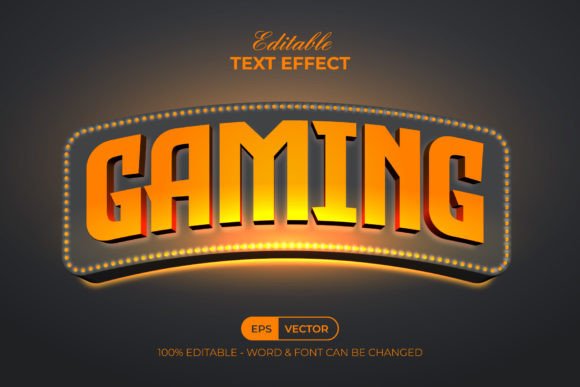
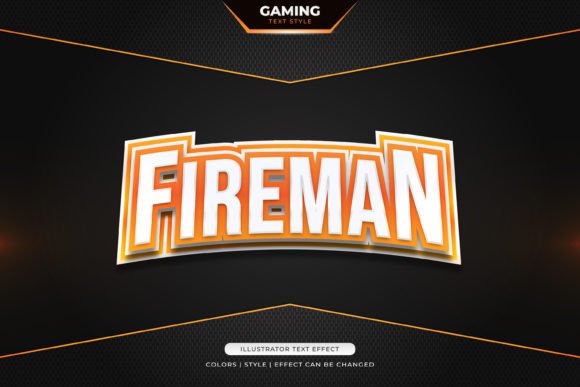
At its core, this product is a professional-grade, layered graphic design file that renders your chosen text with realistic flames, glowing embers, and a heat-distorted backdrop. It is crucial to understand what you are getting: this is a text font effect design, not a standalone font. That distinction is actually your biggest advantage. Instead of installing a static font with a baked-in fire look, you open a smart template where you simply click on the placeholder text and type your own word or phrase. The flames, the glow, and the smoky textures automatically reshape around your new letters.
The files come in industry-standard formats, including EPS and a JPG preview. The EPS file ensures compatibility with Adobe Illustrator, Photoshop, and other major vector editing programs. The JPG preview gives you an immediate visual reference for what the effect looks like straight out of the box. Because this is a fully editable effect, you can change literally everything: the font family, the letter spacing, the individual colors within the flames, the intensity of the glow, and the background setting. You are in complete creative command.
Strengthening E-sport Team Identity with a Flame-Driven Look
An e-sport team is more than a group of players; it is a brand. And every strong brand needs a visual hook that fans instantly recognize. The Fire Gaming Text Style for E-sport Team Identity or Sticker purpose is to give you that hook in a matter of minutes. Think about the most iconic e-sport logos. They often use aggressive, high-energy visuals that communicate power, speed, and heat. Fire naturally conveys all three. When you apply this effect to your team name or tagline, you signal to your audience that you play with intensity.
Using this effect effectively for team identity involves a few key decisions. First, choose a font that matches your team's personality. A sharp, angular typeface with this fire effect screams aggression and precision—perfect for first-person shooter squads. A more rounded, bold font wrapped in flames can feel like a classic arcade fighter emblem. Because the effect layer adjusts to any font you select, your team identity remains unique even if another group uses the same base template. Your font choice, your color tweaks, and your text content make it one of a kind.
Consistency is another factor. Once you have your flaming team name locked in, you can export it in multiple resolutions and place it on all your digital real estate. Use it as a Twitch or YouTube overlay bug, a Discord server icon, a Twitter header, and a tournament registration badge. When your team name appears in that consistent fire style everywhere, you build visual equity. Fans start associating that specific flame look with your team's playstyle and personality.
Designing High-Impact Stickers and Merchandise That Fans Want
Beyond digital screens, the Fire Gaming Text Style for Sticker applications open up a tangible world of merchandise. Stickers remain one of the most popular and affordable ways to spread your brand. A well-designed fire text sticker on a laptop, water bottle, or car bumper turns your supporters into walking advertisements. The editable nature of this effect means you can prepare print-ready files quickly, keeping the fire effect vibrant and the edges crisp for die-cut sticker production.
When prepping for physical merchandise, the layered EPS file becomes invaluable. You can separate the fire layer, the text layer, and any background elements to meet specific print shop requirements. Need a version with a transparent background for a sticker? Simply hide or delete the background layer. Need to add a metallic gold foil accent beneath the flames? The layered structure makes that entirely possible. The Fire Gaming Text Style Effect gives you the flexibility to create merchandise lines that feel premium without a premium design cost.
Consider also the emotional pull. Fans love to represent teams that look the part. A tired, pixelated logo doesn't inspire anyone to stick it on their gear. A blazing, dynamic text effect does. It communicates motion and heat even when printed statically on vinyl. This psychological edge matters. Your merchandise becomes a statement piece, something your community is proud to display, which in turn drives organic word-of-mouth growth for your e-sport brand.
Effortless Editing for Teams Without a Dedicated Designer
One of the biggest hurdles for amateur and semi-pro teams is the lack of a dedicated graphic designer. Hiring a professional to create a flaming text logo from scratch can cost hundreds of dollars and take days of back-and-forth communication. The Easy to Edit Just Click and Change The Texts promise behind this product eliminates that bottleneck. If you can open a file in Photoshop or Illustrator and type your name, you can produce a professional-grade fire logo today.
The process is intentionally straightforward. You open the EPS file, locate the clearly labeled text layer, double-click it, and type your team name, player alias, or event slogan. The fire effect layer sits above or below your text, already configured with blending modes and masks that produce the realistic burning look. You do not need to know how to render flames, feather masks, or adjust opacity maps. Those technical aspects come pre-built. Your job is simply to provide the words and, if you wish, experiment with different font weights until the visual feels right.
This speed of execution has practical tournament implications. Imagine your team qualifies for a last-minute online championship and needs a branded overlay within hours. You do not have time to commission custom artwork. With this template, you customize your text, scale it to fit the overlay dimensions, export it, and you are ready for the stream. The same applies to creating quick social media graphics after a big win. You can drop your fire text effect into a victory post and keep your brand looking polished even in fast-turnaround situations.
How to Maximize the 100 Editable Words and Customization Options
The product description mentions 100 Editable Words, Fonts, Size, and Effect. This does not mean you are limited to 100 words per se; rather, it indicates the extensive level of customization available across the template. But let's think practically about how to use that flexibility. Your team name might be short, but you can also create matching taglines, player call signs, and event-specific phrases all within the same visual system. Having a unified fire effect across multiple text assets reinforces your identity.
Here are some actionable ways to use that versatility:
- Team roster announcements: Apply the fire effect to each player's alias for consistent player profile graphics. Each alias gets the same fiery treatment, creating a cohesive squad reveal.
- Series branding: If you host a recurring tournament, use the effect on the event name each season, changing only the subtitle or date. The fire branding becomes a recognizable series hallmark.
- Sponsor integration: While you should not alter sponsor logos, you can use the fire effect on accompanying text like "POWERED BY" or on hype phrases that sit near sponsor banners, tying the whole visual together.
- Fan engagement posts: Create fire text graphics with phrases like "GAME DAY" or "LOCK IN" for social media stories. The editable size lets you optimize for both square Instagram posts and vertical story formats.
The ability to change fonts, size, and the effect itself means you are not stuck with one exact look forever. As your team evolves, your visual expression can shift. Perhaps you start with a realistic orange flame for a raw, unpolished feel, then later dial up the saturation and add a blue-hot core effect as your team climbs the ranks and wants a more elite aesthetic. The template supports that growth without requiring a full rebrand from scratch.
Practical Technical Considerations for Smooth Editing
Working with the EPS format gives you the highest quality vector output, which means your fire text can scale from a tiny mobile screen stamp to a massive event backdrop without losing clarity. For teams that need to hand off files to print vendors, EPS is often the preferred or required format. The included JPG preview serves as a quick reference so you can see the intended final look before diving into editing, which is especially helpful when you are batch-creating multiple text variations.
If you are new to editing smart graphic files, here is a simple workflow that keeps things stress-free. Open the EPS file in your editing software. Immediately save a working copy so your original template remains untouched and ready for future uses. Locate the text layer in the layers panel. Change the font to one installed on your system or a free commercial-use font you have downloaded. Type your desired text. Adjust the font size to fill the space attractively. Then, check if the fire effect layer needs any positional tweaking—sometimes longer text requires a slight stretching of the flame elements to cover the full width. Most templates include instructions for this, but a little manual nudging usually does the job.
Color adjustments are another powerful area. The base fire effect likely uses reds, oranges, and yellows. But what if your team colors are green and black? You can selectively adjust hue and saturation on the fire layer to shift those warm tones toward a toxic green flame, a magical purple fire, or an icy blue burn. This customization ensures your version of the Fire Gaming Text Style Effect aligns perfectly with your established color palette, which is a hallmark of professional branding.
Why This Approach Outperforms Static Logo Generators
Online logo generators and free text effect websites often trap you in a limited sandbox. You pick a font from a tiny selection, apply a canned effect, and download a low-resolution raster file. You have no control over the individual elements, no vector scalability, and no commercial rights clarity. This product flips that model entirely. You receive the raw, editable source files. You control the typography. You own the final output. For an e-sport team serious about long-term branding, that distinction matters immensely.
Having the effect as a layer stack also means you can combine it with other design elements. Place your fire text over a dark, textured background that features your team's secondary logo. Add particle spark effects behind the text. Composite everything into a complete tournament-ready graphic. The fire effect becomes one powerful component in a larger design ecosystem that you build and control. This creative freedom separates a templated shortcut from a legitimate branding tool.
Building Lasting Visual Equity with a Signature Fire Style
Every time your fire-branded team name appears on a stream, a jersey, or a social post, it deposits a small amount of recognition into your audience's minds. Over time, that recognition compounds. People see a burning text silhouette and think of your squad. That is brand equity, and it cannot be built with inconsistent, throwaway graphics. The Fire Gaming Text Style Effect gives you a repeatable, editable system to maintain that consistency over months and years.
Whether you are launching a new e-sport team, rebranding an existing one, or creating sticker packs for your community, this editable fire text design bridges the gap between a professional look and an accessible price point. You do not need to learn advanced compositing. You do not need to outsource every graphic. You simply need your team name, a clear vision of your identity, and the willingness to spend a few minutes clicking and customizing. The result is a fiery, high-energy visual that does exactly what great e-sport branding should do: make people stop scrolling, pay attention, and remember who you are.